Most of the articles and chatter I can find talks about the changes in 14.04 from a desktop perspective. I only run ubuntu on servers and vms. Does anyone know where I can find a good changelog as to what's changed between 12.04 LTS server and 14.04 LTS server?
You can browse the complete list for every supported release. Or, you can search for a particular package and set the distribution to "any" to see the latest version available in each release.
Hi, thanks for using Ubuntu Server! I don't have time to answer fully so I'm sorry this response is not so detailed, but here's the general updates:
- OpenStack Icehouse - the latest version of OpenStack
- Ceph .78 - Emperor!
- Juju is ready now for production usage, with some goodies here:
- New bundles with quickstart, allowing you to deploy entire workloads in one command. So for example you can do `juju quickstart bundle:mongodb/cluster`, toss in your cloud details, and get a 13 node cluster up and running in about 10 minutes. We also have an entire starter Hadoop Cluster and out of the box deployments for Rails and Django (With node.js on the way).
- Manual provider for Juju, allowing you to deploy what are usually cloud workloads onto any machine with Ubuntu and ssh ... so ... all those fancy deploy commands can fire off to Digital Ocean, Linode, or whatever you have laying around.
- New cloud providers - we now publish regular cloud images in AWS, Azure, HP Cloud, and new this cycle is Joyent.
- Newer MAAS (I don't have the changelog handy)
- Vagrant images - We now publish regular vagrant boxes as part of our release process. We also have a Vagrant box that includes Juju with an LXC provider so you can run a simulated deployment of your servers on your Mac/Windows machines.
- LXC 1.0 for container using folks.
- Speaking of containers, a pretty up to date Docker version this is some work that Paul Tagliamonte is doing in Debian and Ubuntu.
- nginx in main, thanks to the hard work of Thomas Ward. He's maintaining a pretty useful PPA backporting nginx packages for older releases.
- The usual goodies, so version bumps in the kernel, kvm, libvirt, puppet,
What? There is almost no evidence that your comment is in any way true.
Ubuntu has great Long Term Support - which is exactly what this is about and the apt package management is far superior to Yum (IMO at least) - Plenty of high profile companies use Ubuntu for servers.
I will not voluntarily use "yum" on a server in a million years.
Debian has always been my favorite, and currently we use Ubuntu on servers as the OS-packages-as-shipped are more up-to-date; which turns out to be quite important in web-dev-land.
Frankly I dont know what CentOS/Redhat does better then Ubuntu nowadays, apart from selling enterprise stuff like JBoss :)
I am on 13.10 with xmonad but will try to move to 14.04 LTS with Unity.
This will happen as soon as I finish my Ansible playbook to get all my current Ubuntu tweaks and dev env setup implemented so I have a repeatable setup and can safely do a fresh install of my desktop as needed with zero manual work.
Dotfiles alone didn't cut it and VPS provisioning frameworks like Ansible are great examples how desktops could be built as well :-)
I've wanted to be able to automate setting up a new Linux desktop on a new laptop for a long time. It's a drag setting up a new box, it takes nearly a month to get everything tweaked right after I switch to a new distro (which is far more often that I should be responsibly doing it).
I've been thinking about setting up an Ansible script, I've never used it before though. How would this work on a new machine? Is it something you run post-OS install? I want to try it out with Arch Linux.
Yes, a playbook would run post-OS install. It's either executed locally or anything you can SSH to. If being careful enough one can support multiple OS-s with the same playbook (at least different Linux flavors) but it's definitely quite some maintenance like different package names and conf file locations etc.
A playbook contains tasks like installing, removing packages, editing config files etc. The beauty of it is that if done correctly you can run the same playbook over and over again against the same computer and each task can be smart enough to know if it needs to be run or not. This makes updating your computer with the same or updated playbook very fast.
With Ubuntu it's easy to get to the post-OS install, it's more involved with Arch Linux. I would first create an Arch box with Vagrant using Virtualbox. And then create a playbook that works with that virtual Arch box. If the box and ansible playbook is good enough then
https://wiki.archlinux.org/index.php/Moving_an_existing_inst...
At least in theory, I haven't moved Arch between VM and a real host myself... Of course you can also just do a manual Arch install and then run the playbook but that would miss half the fun of doing less by doing more.
I'm not sure Ansible would be very useful for the use-case of "getting your desktop right". Generally there's three things that is needed to get a (personal) dekstop set up:
1) Get the right packages (eg: dpkg --get-selections > my-pacakges.list; dpkg --set-selections < my-packages.list). This part ansible can do fine -- but not really any better than your distributions package tool (for this particular use-case)
2) Set up your account (This can be done with kicstart, FAI or preseed.cfg) If you only have one user, this might not be worth automating. This is also a task ansible can handle fine.
3) Set up your preferences/restore your home folder etc.
This is the area that tends to take the most time and care.
Personally I've pretty much stabilized on a very spartan xmonad config (driven from ~/.xsession), and have a mercurial repo with various dot-files that I just clone and symlink to (and I have a bash-script that takes care of setting up the symlinks) -- I also manually set up a python virtualenv (which bin I add to my path), an ~/opt hierarchy managed by xstow (I usually recreate this, as the whole point is to follow upstream, unpackaged software) and a ~/bin folder that's also in a mercurial repo (a few shell scripts for toggling vga/internal displays for my laptop and some similar small utilities).
Now, "manually" symlinking your dot-files probably isn't the best idea -- the main reason I do it this way, is that I've had to manage my profile across different distributions (and for a time also on Solaris) -- and then just keeping home in version control can be a little to simplistic (now with mercurial/git I suppose using named branches for the various machines might be a viable option though -- not sure if I want a check-out command in my .bashrc/.xsession though -- too much can go wrong... eg if git/mercurial for some reason isn't available won't run without errors...).
I'm of the "latest is greatest" school. I switch my desktop on release day. Week-month later (depending on issues) I deploy to testing machines. Month-three later (depending on issues, my work load, need for any upgrades) deploy on subset of production. If all is well, then to rest of production shortly thereafter.
OTOH, Long Term Support. You shouldn't have to upgrade for awhile if its a pain for you.
For all personal/hobby projects, I can see myself switching within few weeks. For the "serious" bunch, I may be waiting until the middle of 2016, then I'll start migrating.
since noone actually responded to your question, and assuming you are talking about on servers, i began testing our configs against trusty some time ago. I'm not going to switch right when it's released, but I am eager to move to it. You're going to get lots of things that you may have had to work for in 12.04, like a newer kernel and newer versions of system tools and libraries and your key server software, from OpenSSL to nginx/apache2, python, ruby, libc, etc.. The LTS cycle works, and I encourage you to begin testing as soon as you can, and in the future to test while it's in testing simply because you can - it's not expensive to throw up an instance here or there.
Ubuntu's user interface upgrades as of 11.10 (the "unity" interface) sucked so bad that I refuse to use Ubuntu beyond verision 10.04 on desktops/laptops.
11.10 was when I switched over to Mint and never looked back, and it seems that doing so was a wise move, given the Amazon adware/spamware/spyware that Canonical saw fit to include in more recent versions.
Even though Mint includes proprietary binaries (like Flash and Audio/Video codecs), which may or may not contain opaque questionable material, at least the third party non-open-source software is something that (arguably) improves the distribution and actually serves a purpose for me, as the end user.
Mint has changed over time too, though, and now I'm thinking about moving to a personally customized Debian image, and a hobbyist project. Hopefully it won't prove to be too demanding to pull off.
Your feelings about Unity, and your preference for Mint because things regularly break and it gives you learning opportunities, may be things you really want to get said. But they are not really relevant to the question you are replying to.
I too was pushed to mint after 11.10 but I'm sick of Mint now too. Not only do upgrades break it frequently, but I find small 'glitches' that end up taking up too much time tracking down. Stuff like Wifi dropping, and icons in my taskbar dissapearing, random browser crashes etc.
What I did was decide to sit down and do an Arch install. Yes it takes time, and yes you have to know what you're doing. But I invested the time up front, and now it runs very reliably, and faster on the same machine.
I say if you want to GSD the best thing to do is set up something like Debian, Arch or Gentoo and invest the time setting it up so you can use it without problems later. I don't know about you but I have better things to do than screw with an OS all time, I have real work to do. These "harder" distros are great for that.
I am using Mint 16 now; first time using it. Previously I was using Ubuntu. I had to switch to Mint because we got W540's at work which has a lot of new hardware that is not currently supported (well). I wasn't able to get Ubuntu working on it properly, but I have been impressed with Mint so far. The only issue right now is that it doesn't see my nvidia card and so I have to use the integrated chip instead of the discrete one. I'm hoping that Mint 17 fixes the issue.
How hard is it to get a custom system up and running from Arch? I haven't done anything like that in a few years although I've had a lot of experience with setting up custom FreeBSD systems. Is it more or less like that?
What I'm reaching for is something that "just works" and that I can work on reliably instead of having to fix obscure problems all the time. I figure once I set something up that works, I can simply create an image of it to use later.
Arch isn't that hard to set up, it's still easier than Gentoo. You just have to set it up from an explicit point of view. You must know every detail of what you want, and each item up, rather than a "10 clicks and I have an OS now" type of setup.
It helps to have a good knowledge of Linux to do it, because you know where things should go and where to look if there is a problem, but it doesnt' require you to become a kernel hacker just to get it to a prompt.
Honestly though, the only thing that attracts me to Linux in the first place is digging into the source and pulling apart the pieces and putting them back together again, so that I can understand the tools I use more intimately.
To me, distribution projects like Debian, Arch & Gentoo serve as a useful source for complete repositories of working, interoperable packages, moreso than they serve as a convenient provider of a working operating system.
I tend to chalk up buggy, quirky work-arounds and long waits for bug fixes in Linux as the price I'm willing to pay to be able to see the source, and receive the software for free. Annoying glitches are something I wouldn't tolerate from Apple or Microsoft, if I'm going to shell out for the high price tags placed on their operating systems.
I'm with you 100%. Often times I do use Linux as a dumb platform to do work like I would Windows or OSX, but occasionally I love tearing into it and messing with it, which is priceless in my book.
In your experience, is Debian less prone to breakage when upgrading from stable to stable than Ubuntu with its release upgrades? I've run Debian but I have never been patient enough to stay with a stable release and find out.
To be fair, Unity in 11.10 was quite broken and slow and resource hungry, but they fixed that in 12.04 and 12.10. I understand if people don't like Unity, but it's been getting faster and better than in the earlier versions. Personally I use cinnamon.
IIRC it's Canonical's official stand to suggest users to wait for the first point release. I am sure I read this some days ago, from following a link posted here.
Indeed, upgrades aren't prompted for LTS users in Update Manager (Software Updater) until the .1 release hits. Intrepid souls are of course free to upgrade before that.
I decided to go the LTS route as well. I actually don't know when they will actually release the new version, but I assume it will be before the end of April (do they always hit their target release month?).
I will be upgrading fairly early; probably at the end of April. I have a big deadline in late April and upgrading Ubuntu will be my reward/punishment. I suppose I will listen for any disgruntled users before I make the plunge, however, and reassess if things look too problematic.
Note: this is for a work machine, but a PC, not a server or something like that.
You have to follow the bug reports if you rely on stuff, e.g. this bug in 12.04 (which was not in 10.04) https://bugs.launchpad.net/ubuntu/+source/grub2/+bug/669481 has no released fix two years later - if you need your servers to consistently reboot after a power down without human intervention, you need to apply the fix manually (just inserting a line in a config file, but still ...). I know it says "fix released" - but after having to drive to reboot servers, I can assure you that is not the case.
Personally, I'd wait at least 3 months, and follow bug reports before switching.
Ideally I would want to upgrade within a month or so (after major kinks have been worked out) but there is stuff that may not work with the new kernel (I extensively use NoMachine), so I want to make sure if I upgrade I can still use it. I'll first install it in VirtualBox and give it a try. If it works, I'll upgrade. There are disadvantages to sticking with 12.04 for too long. You get stability but you start missing out on the new features of the kernel and other daily use software like LibreOffice. So, I really want to upgrade as soon as possible.
The official Canonical/Ubuntu line on this is to wait for the first point release, 14.04.1... however long that takes. I think for 12.04 it took 2-3 months.
Our organization is currently running on Ubuntu 10.04, which is reaching end-of-support next year, so I've begun a push to move to 14.04. All of our server installations are entirely automated so a lot of it will just be porting over the preseed variables to the installer, answering any new questions, and possibly moving to newer versions of some of our dependent software (a lot of which is equally out of date).
Why wouldn't you build a newer package for 13.04, or try using the trusty package on it? I can't imagine waiting for a new OS release every time I needed a newer package.
It is not really often I need a newer package than what is available, I can only think of Beanstalk because if this issue.
I am not really that used to build my own packages, but it is something I want to learn. And I didn't know that I could download from another version, I will look into it, thanks ! :)
    apt-get build-dep beanstalkd
    apt-get source beanstalkd # or in your case, download the newer source-package
    cd ./beanstalkd-1.x.x
    dpkg-buildpackage -rfakeroot -us -uc
This should do the trick. There are a lot of variations regarding the last line. Just google for Debian packaging or Ubuntu packaging tutorials. It really works well for minor changes. If you need to deploy it to several machines it's also possible to add a custom flag to the package version...
And it's an unbelievable pain in the ass when they change packaging styles, and the new src packages aren't compatible with the older build tools. IIRC, that happened between 10.04 and 12.04.
It did, but it's only relevant for packages which actually updated their build scripts. A huge proportion of packages from 12.04 will still build fine on 10.04 (which I've been doing in order to backport certain packages to install).
Takes a year for me on average to roll all production to a new LTS. This includes giving package authors to release good package for the new LTS and testing.
Moving to new LTS right away is often a suicide mission.
I'm thinking of trying to switch to it completely. I'll probably still need Windows for some stuff, but I'll try to use Ubuntu as my main OS once this LTS comes out.
Currently on 13.10 at home, 12.10 at work desktop, 12.04 on servers. I feel no need yet to upgrade my desktop and my servers. All my previous upgrades had been motivated by better config tools and installers or new software. All these issues have dealt with by earlier releases. I think the distro is no longer the conduit for delivering new software and 14.04 doesn't bring any compelling upgrades outside of Unity tweaks, which I don't use. I'm going to wait this one out.
I dunno, but as someone on a laptop with an intel HD 4000... who can I thank for this ridiculous increase in performance? Default Ubuntu has gone from laggy to rivalling Lubuntu in responsiveness.
Intel, who is putting the effort into open source drivers and Mesa developers, I think.
I think the increase in desktop graphics performance has to do with the updates in Mesa 3D Graphics Library. Ubuntu 13.10 has 9.1, while 14.04 has 10.1.
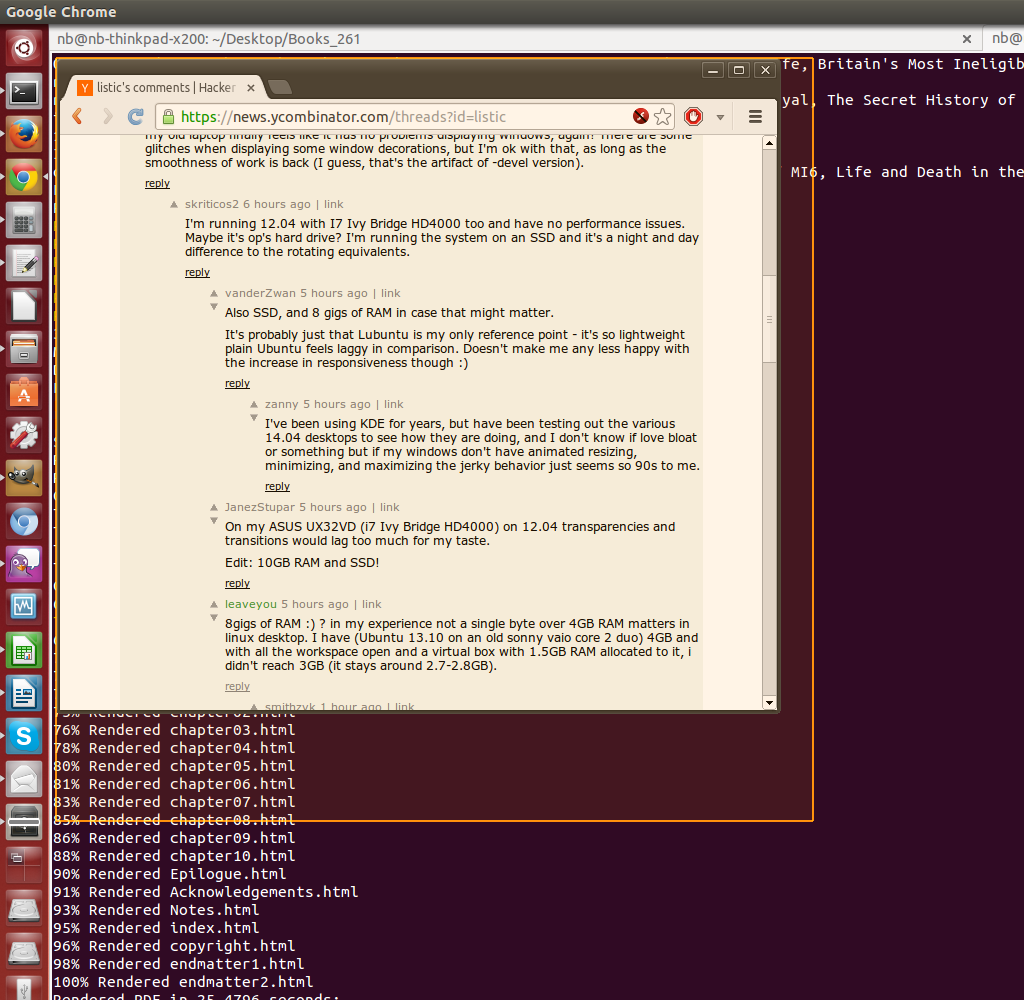
Though I would have thought that Intel HD 4000 would provide decent performance even with the old Mesa. I'm on GMA 4500MHD (GM45, ThinkPad X200, circa 2008) and that feels laggy sometimes (with all special effect options I could find tuned to a minimum), especially when I compare it to my brother's desktop with gaming-grade video card. Most times I put up with it, but one time I decided to try the mesa 10.2-devel, and suddenly - what a relief, my old laptop finally feels like it has no problems displaying windows, again! There are some glitches when displaying some window decorations, but I'm ok with that, as long as the smoothness of work is back (I guess, that's the artifact of -devel version).
I'm running 12.04 with I7 Ivy Bridge HD4000 too and have no performance issues. Maybe it's op's hard drive? I'm running the system on an SSD and it's a night and day difference to the rotating equivalents.
8gigs of RAM :) ? in my experience not a single byte over 4GB RAM matters in linux desktop. I have (Ubuntu 13.10 on an old sonny vaio core 2 duo) 4GB and with all the workspace open and a virtual box with 1.5GB RAM allocated to it, i didn't reach 3GB (it stays around 2.7-2.8GB).
I have 16GB. And I have managed to use all of that, with a combination of calligra + blender + around 5 vms in virtualbox + 3 containers + background compiler update operations + 3 web browsers open all with a total of around 100 tabs at the same time.
I find it is just quality of life. If I use 4gigs, I can only have 2 real memory intensive applications open at the same time. If I had 8+, I could easily have anything I want open in normal usage and not break a sweat.
It sounds like you might be using a 32 bit version, which will not utilize more than 4GB of RAM. 64 bit versions have the ability to address memory beyond the 4GB limit of 32 bit systems.
With 32 bit versions of Linux the kernel is mapped into the upper 1GB of address space, and then whatever is left over from the remaining 4GB is exposed for general purpose use, and made visible to the user. The means that by default, even if you have 4GB of RAM, you'll never actually see anything more than 3GB exposed for your use, because the kernel has already reserved 1GB of RAM for itself. (these ratios change proportionately, when less than 4GB of RAM is present)
It's also possible that your system is hitting the 3GB mark and then paging virtual memory to your swap partition.
This makes me hopeful for my future. I have 4GB and am in the constant cycle of "close firefox so I can start my VM, close the VM so I can start Inkscape (with a big file), close inkscape so I can start firefox, and if you want to play one of these new GNU/Linux games: _close_ _everything_".
It honestly feels like there is some kind of problem with the system swapping (or failing to swap some memory) or some memory leak that I can't quite track down. Maybe something got fixed somewhere in the last two years...
But it opens new options. For instance you can mount /tmp as a tmpfs (in memory) file system and spare some write cycles from an SSD. Also, the system uses it as cache, which is nice.
Also SSD, and 8 gigs of RAM in case that might matter.
It's probably just that Lubuntu is my only reference point - it's so lightweight plain Ubuntu feels laggy in comparison. Doesn't make me any less happy with the increase in responsiveness though :)
I've been using KDE for years, but have been testing out the various 14.04 desktops to see how they are doing, and I don't know if love bloat or something but if my windows don't have animated resizing, minimizing, and maximizing the jerky behavior just seems so 90s to me.
That's where they are. The drivers crash on suspend/resume, so you need the ctrl-alt-backspace combo to kill X but otherwise it's OK. Newer versions are better, but they're not included in the official repo yet.
Well, a lot of us Linux neckbeards advocate free software, and Nvidia's blob is anything but...
I'm having a lot of good results from AMD and Intel on Mesa. The modern AMD GPU lineup is finally almost up to snuff and performing really well, Intels stuff has always been rock solid, so I could never recommend Nvidia to anyone using Linux again, unless you need OGL 4+ functionality.
THAT'S the problem I had since years of asking and bashing on the nvidia support forum.
And that's why, when a mate asks me which laptop to buy to use with linux, I ever suggest not to buy one with a nvidia gpu because even with bumblebee the user experience is shit.
Meanwhile, any combination of intel / AMD discrete / integrated parts I find works (usually) flawlessly, if you use PRIME (and are using the foss drivers). I've been working on a plasma widget for a while to just drop applications on a launcher area to run them on your second gpu if PRIME is enabled.
What improvements in touch device and HiDPI support have made it to 14.04?
I'm going to use Ubuntu on Microsoft Surface Pro 2, because even though full convergence for Ubuntu is delayed, I think of all Linux distros it is in the best position to run on such devices. Some enthusiasts have made 13.10 work on Surface Pro 2, surely it can only get better from there? http://ubuntuforums.org/showthread.php?t=2183946
I'm also eagerly awaiting HiDPI support (I have one of those QHD screens on a 15" display, 3200x1800!). There is apparently some support for it in the GNOME version (I've read it was not perfect though). Don't recall where I read this but it was rumored HiDPI may come to 14.10. Probably no more than a rumor... But at least a version number to look at helps me cope :)
14.04 has very good HiDPI support per monitor unlike Gnome. I've been using 14.04 for months and am loving it on a retina display for the last few weeks.
The shell scales perfectly, GTK3 apps scale as well. Firefox has the `layout.css.devPixelsPerPx` setting in about:config that you can change to 2 or 4 to make it scale properly.
Chrome doesn't yet support HiDPI screen but setting the default zoom level to 200% does the trick.
Upgrading now just to try this! (Now to get past "symbol 'grub_term_highlight_color' not found" on boot... I should have waited for the weekend to update to a beta release!)
I already moved all my servers to Debian, have not decided when I should do the same on the Desktop side yet, I don't really care about games/MIR/smart-UI-decision-made-for-me/one-GUI-does-all-screens etc, all I need is vim and a browser, with newer tested packages installed underneath for development.
I was using Arch as my laptop OS for a couple years until just recently switching to Ubuntu Server 14.04. Since I use i3 it still seems like the same environment. The reason I switched is because I'm developing solely on Ubuntu Server 12.04, and it's less work to get things working once instead of twice.
Is there any advantage to using Debian over Ubuntu for servers and/or development?
I feel Ubuntu is moving towards more to the mobile arena which _could_ impact the desktop/server quality especially for the long run. It could also be fighting a battle that is too big with its limited resource(i.e. stretched too thin). I switched to Debian as a precaution.
Just installed it into a VM. No issues, very slick. The UI scaling stuff is a neat addition. Haven't tried the Server edition yet, but I imagine I'll start deploying that in six months or so. Precise Pangolin has been my bread and butter for servers.
But why does it still have a "Floppy Disk" icon in the launcher? This is 2014 right? I feel like that is even more absurd than using a floppy disk icon for save buttons in documents. My desktops and laptops don't even have optical drives anymore, much less floppies.
Desktop oriented end user here: Does anyone else use the mnemonic shortcuts, e.g. ALT-F-A for Save As... and in LibreOffice Alt-I-O-F to pop a mathematical formula into a document?
Broken completely in 13.04 and 13.10 and somewhat broken in 14.04 (Alt-F opens File menu but any attempt at a second note in the chord opens a different top level menu).
Otherwise sensible changes, menus on window bars makes sense on larger monitors and shrinking sidebar very nice on a 1280 by 800 screen. Very snappy from live image on a Core Duo 2 laptop with Intel graphics (Thinkpad X200s). Good for demonstration of Linux!
Not exactly, but ALT+F is M-f in Emacs which is by default bound to forward-word, i.e., lets you jump over a word. When you run Emacs inside a terminal window, I find it quite annoying that the Menu bar gets activated when you use that shortcut.
I have never quite understood all these desktop emotions. I run Kubuntu, but almost never interact with any desktop features. What is it in your workflow that requires you to interact with Gnome/Unity? (just curious)
The main thing that springs to mind is that the only way to get a half decent desktop is through extensions. I installed a whole load of useful ones about a year ago, but currently only about 1/5th of them are still working due to gnome version incompatibility.
One of the most noticably broken parts of Gnome Shell for me is that my Pidgin notifications/alerts seem to be broken. They neither flash the item in the taskbar, nor give me a popup to let me know that a new message has arrived. I had an extension to fix this, but that has since broken upon Gnome version change. There is a messenger integration into the user account menu in the top right, but there is no way of changing the client from the default to Pidgin.
I only use Gnome on my travel laptop, so I get little snapshot peeks at how it's going. I've had these problems I've mentioned for quite a while now (and many more besides), it only seems to be getting worse. The Gnome devs seem to be completely ignoring the community and charging off down their own path of weird unusability.
For my main desktop I just run AwesomeWM, which is almost completely pain-free and gets the hell out of my way.
alt+tab. Used to work perfectly. Now broken. I've returned to debian stable, which comes with a gnome-2 legacy option that works out of the box just as well as it did a decade ago.
Go to [0], install, configure to either "all windows" or "all windows in current workspace", and alt+tab probably works like you want again. It's not terribly difficult.
The difference between Gnome and Unity is that if there's something you don't like about the former, you can install an extension to fix it. If there isn't an extension, you can write one - at least theoretically.
Anecdotally, that sort of shifts the blame for missing functionality around. It's no longer "my wm is missing x" it's "I haven't written x for my wm yet."
Yeah, the extensions have really helped. The main problem there is that the extensions keep on falling out of compatibility. I have half a dozen extensions that used to work well and provided critical functionality, now they don't.
No signs of anyone fixing them either, it's been 6 months since my Pidgin extension broke :(
Anecdote: After running some net-install 12.04, 12.10 and 13.10 for a long time with a tiling window manager and recently trying out Unity and Gnome for a few weeks I decided to get back to Debian and Gnome 3.4 + awesome because it runs way smoother on the latest live-CD. And I am in the mood for some long term stability.
My main point of contention is that Unity's dash isn't fast enough for me and I am tired to dig the registry to get rid of the on-line suggestions. But overall I think Unity has a better App/Window management than GNOME (the dock is much more functional for instance). So no 14.04 for me. Except if performances are okay and if the team pulling Ubuntu GNOME show good support.
For me Gnome (2 especially) always felt more natural and productive to use than Unity. Besides, you could easily customize your Gnome to look and behave exactly like Unity but you can't replicate the same with Unity.
Gnome 2 always annoyed me because on every fresh install I had to spend time moving the two separate task bars to be just one. Vertical real estate is at a premium on all monitors, why would I ever want two bars taking up precious space?
I love that feature. One bar for the various menus and the other for the list of open windows. I often have several versions of the same application open while working and it is easier for me to find the right window on the open window bar than the alt+tab interface. When I upgrade Ubuntu again, the first thing I will do is install Gnome 2.
Gnome-Shell convinced me to switch away from wmii.
The trick is to use extensions. In particular, the "shellshape" extension for GNOME Shell is a pretty good approximation to sane tiling window managers.
AFAIK, the systemd decision was finalized too late to make it into 14.04. Last-minute changes are not a good idea for an LTS release that emphasizes stability.
This also means that Canonical gets to keep supporting their darling (Upstart) for another five years ;)
Yes, but I would either use Software Updater (update manager) or "sudo apt-get update" followed by "sudo apt-get dist-upgrade" (not upgrade as suggested above). Just a minor nitpick.
Any idea if it will be possible to keep the menu in the title bar from being hidden? It looks like you have to mouse-over to show it, which could be a pain if I'm trying to access it often. I'd like to see where to take my mouse without guessing.
There has been a bug open since early 2011 (https://bugs.launchpad.net/unity/+bug/732653) This is one of the most annoying thing of the Unity interface, but they just don't want to fix it because it's a "feature".
I just watched a video overview of the changes. It seems like you must still mouse over to reveal the menus, even with the new option to put menus in the title bar of the window instead of at the top.
I think this is a reminder that different interfaces work for different people. I think that the Unity interface, with its hidden menu bars, application menus, scroll bars, etc. is almost perfect and a clear step in the right direction (with the huge exception that it crashes frequently, hopefully this will be fixed for me in the 14.04 release). The idea that I would ever access a drop down menu by mouse is in some way ridiculous and signifies a failure of the application's user interface. Again, that is what I think and it is obvious that other people think drastically different things.
Typically via holding alt and pressing short cut keys. That is the old way to do it. Unity introduced a new way to do it where you use the alt key and a text box comes up which allows you to search the options by keyword. It could be done better in Unity, but I still like it better than searching though the hierarchy that mostly never made sense to me.
The real answer is that things like Vim and Emacs long ago came up with interfaces that don't require toolbars/menubars. They were added a long time ago, but I am amongst the people that turn them off and don't use them even though they are available. For many of us, mousing is less efficient than well tuned muscle memory.
Perhaps so. I tried Ubuntu with Unity a little while ago and didn't like it much--I'm used to minimizing to the taskbar and seeing the names of the programs. I settled on Linux Mint as it offers a clean and "classical" way of doing things.
I'll consider trying out Ubuntu again when 14.04 LTS comes out this month. Maybe I'll get used to it, who knows.
To me Unity just made sense and if not for it crashing entirely too often and incurring a performance hit due to all the eye candy, I wouldn't look further.
To me the nice thing about GNU/Linux on the desktop is that each person can have the interface they want. This has secondary benefits where if you have your interface which is significantly different from my preferred interface, it forces application developers that really care about supporting their users to develop high quality abstraction layers that support both. The same goes for software packaging, driver support, general compatibility of proprietary software, etc. So, by all means, keep using Mint, it is in my best interest if you do (and yours, and everybody elses).
Toshiba Portege R830-13C, Intel HD Graphics 3000. Minecraft, running in Xubuntu 14.04 on openjdk 7.51, is having graphics problems that it didn't in 13.10. (No, I haven't filed a bug yet, yes I should ...)
Anyone else running Minecraft on Intel HD Graphics 3000? In 14.04 or otherwise.
Define "default". Both Python 2 and Python 3 are installed by default (it's a goal to not have Python 2 installed by default, but Python 3 is already there).
If you want /usr/bin/python to be replaced, this is unlikely to ever happen[0], but what difference does that make?
I've found the Ubuntu [Desktop] stability to be in constant decline over the time, even experiencing bugs in the installers in the latest versions.
A few notes:
- the "stability" I refer to is always minor errors
- I remove lots of packages every time I install it, although I've experienced system error notifications even when I didn't uninstall anything
All in all, I'd say that there is a lack of polishing, at the low-level, more than lack of stability.
There is no excuse for having the installation fail, though, and it happened a number of times.
To reply the question directly, I've used betas a few times, and they worked as much as the final version for me.
I wouldn't do it now though - in the past, for my usage, some types of changes were very significant; today, I get very little in upgrading.
I installed Ubuntu for the first time in a while (to get around the secure boot nonsense). I hadn't used it since they started with Unity, and the upgrade process nuked my install.
I agree, Ubuntu seems to work nicely out of the box, but behaves more and more like Windows, a kind of gradual deterioration over time. I am always getting warnings about some problem from suspend. It doesn't (seem to) stop anything working so far, but the install is only a month or two old.
On the other hand I tried Manjaro - a user friendly version of Arch. That needed a few more tweaks to get everything working after the initial install, but I have had it on another laptop for far longer, and so far non of these niggley problems like in Ubuntu.
> I've found the Ubuntu [Desktop] stability to be in constant decline over the time
I wish I never upgraded to 13.10. Sometimes drag-maximizing my window can crash my entire system. And compiz leaks memory like a sieve, sometimes I will wake up to find compiz using ~5.5gb of memory and the system will be unusable. Gotta restart!
When I first upgraded, I thought "oh, it's always like this at the start, they'll fix it." And here we are at the next version and it still hasn't been fixed.
Probably jumping ship (to another Linux distro) once my next work deadline passes.
There was a nasty bug recently with xorg (Intel driver) eating RAM then the kernel OOM killer would swoop in and kill the desktop. I filed a bug on launchpad and the upstream Intel driver maintainer was super attentive and got it fixed. It was a rough time while the issue was around, but it happens..
13.10 has absolutely not been worth it for me, neither. Right now I can't even start (or restart) Unity at boot up. This might not be because of Ubuntu, but Windows 8 doesn't have any problems with starting (dual boot).
Is this a serious suggestion? I can't even reliably reproduce it. It just happens randomly. The problem could be unity. It could be in compiz. It could be in the nvidia drivers, which I don't even have the source to. Who knows what in that mess causes my system to lock up.
Regardless, I do not have enough loyalty to Ubuntu to do this kind of work. There are a number of open source projects that I am involved with, and if I spend time on this (likely to be fruitless) endeavor, I end up with less time to spend on projects I care about.
My post is purely to vent, and to serve as a warning for those looking to try Ubuntu Desktop. My personal opinion is to try something else. I am.
For anyone who does have the time and inclination to debug this there are some comprehensive docs on the wiki https://wiki.ubuntu.com/X/Debugging - I've used these steps to get backtraces before so devs can get stuff fixed.
I can confirm this. Installing Xubuntu quantal took me almost a day and I had to do it more or less manually. If i had used debootstrap right from the start it would have been a way easier. The installer crashed multiple times at different steps. The offical installer image does not even boot, but crashes right away, and you find yourself in the initrd busybox shell. There is no way to use it unless you have solid linux knowledge.
After running into such problems with it so quickly, why did you continue to try to use it?
Problems of that sort were understandable in 1995, when Linux and the few distributions available at the time were still relatively immature. They were even understandable in the very early 2000s, when hardware support sometimes wasn't great. But these days, there's really no excuse for a lack of quality like you're describing.
One data point: been using 14.4 since early this month. Sound output suddenly stopped working two days ago, but no catastrophic events have occurred so far.
I don't know if you know the answer, but I'm curious:
There's a ppa for arm-gcc that I want to use (https://launchpad.net/gcc-arm-embedded) , but so far it's still on Ubuntu 13.04. How is it possible to try to make the ppa work on Ubuntu 14.04? What are the steps involved? Is there some way to find out how the ppa was made for Ubuntu 13.04 and recreate those steps on 14.04?
I hope they fix the part where Unity is crashy, slow, and has a really sucky user interface.
I mean, seriously, Unity is a piece of garbage. You have to look up some magical key combination to do something as simple as launching multiple instances of an application. It's as bad as the Mac [1] -- designed to cater to users who aren't smart enough to understand the concept of "multiple instances of an application."
In order to launch something, you have to search for it -- WTF? I don't want to search for my application, I know what application I want to run! Let me run it dammit!
That whole "no menu you can browse and discover what's installed on your system" is a huge barrier, especially to new users to the Linux ecosystem, because how are you supposed to know the default email client is called Evolution, or your spreadsheet is "LibreOffice Calc"? If there's a comprehensive, categorized menu of all installed applications, you can look through it to, you know, browse what's on your system.
Unity is supposed to be good for noobs. I probably have way more understanding of computer fundamentals than anyone who fits in the "noob" category so I probably have a better chance of figuring out what the UI's trying to do, I probably have way more tolerance for crappy, clunky UI's than most noobs [2], and every time I've tried Unity I've usually uninstalled it within a day. If Unity sucks too much for me to handle, the only noobs I can see sticking with it are those who've never used a computer before and have no idea that it's possible to do better.
[1] Sorry if this isn't up to date. I don't use Macs much; the last time I used a Mac was sometime around 2004.
[2] I played a lot of DOS games in the 1990's. Enough said.
Any other netrunner-os lovers here? Its an Ubuntu derivate with KDE by default, but with much more sane defaults and loads of goodness preinstalled (ad-blockers, YT-downloaders, Steam, codecs, etc.)
I love it! (but it's released several months after Ubuntu is released)
been using 14.04 for about 2 months now. if you're reliant on open drivers (Radeon, Nouveau), and use HDMI output, understand that Kernels 3.13.x and 3.14.x are going to be miserable for you, and you'll be limited to sub-720p resolutions due to regressions in the drivers. 3D has much improved, but the lack of 1080p makes this a dealbreaker for me right now.
1) drop the ridiculous Unity desktop. maybe I am old and out of touch, but that was <i>horrific</i>.
2) Dual boot just works with UEFI/Windows 8.1
3) Supports audio and graphics hardware in common brands like Acer
I have 9 installed on a samsung since 2009 and it's been an absolute pleasure, just worked. Trying to get 12 or 13 onto a modern Acer however... was a nightmare. V disappointing. I still don't have a functioning soundcard and the battery indicator only starts 1 in 10 boots.
1) There are another 4 recongized Ubuntu spins for KDE, Gnome, LXDE, and XFCE, plus all the derivatives with other desktops like Cinnamon, Elementary, Enlightenment, and Zorin. You are not limited to Ubuntu Unity, and unlike any other OS you do have options.
2) I haven't had that much experience with Windows 8, but for many systems the UEFI implementation by the vendor is so bad that it will only boot singular binaries in the Windows EFI locations. That means you can never have multiple OSes on that EFI, and there ain't jack any Linux distro can do to change that. Additionally, Windows will wipe all other EFI applications when you install it and it regenerates an EFI partition, as it always has in every version ever, it will never play nice with any other OS.
3) This relates to 2, but if hardware vendors won't produce Linux drivers nobody can force them.
But the important lesson is to not buy a Windows computer and bitch when it isn't a good Linux computer. They are not equivalent, the same hardware is not supported on both OSes (try putting Windows on a RaspPi) and unless you want to have to deal with faulty firmwares and have to stringently analyze every part you buy to make sure its supported hardware (principally because hardware distributors are garbage at mentioning Linux compatibility anywhere) then you should just buy a Linux computer from thinkpenguin, system76, or any of the other actual Linux hardware vendors that will provide you a system that given whatever version of Ubuntu's kernel it is running, and beyond, you know the hardware will work out of the box on any distro. That is how to use Linux.
Ubuntu is a fairly decent base for a desktop no matter your favorite DE. Their packaging XFCE, KDE and Gnome are as good as any. They are pretty good at getting things working out of the box. Their software is reasonable up to date, and their collections of PPAs are in my experience really up to date on even the most obscure packages. Basically Ubuntu does a lot of things right totally unconnected to Unity.
As far as I know, Lubuntu/Xubuntu/Ubuntu GNOME are just plain old Ubuntu with a different set of default packages for the desktop environment, they can use the same PPAs.
(FWIW I use Ubuntu GNOME as my default desktop distribution)
One of the benefits of Linux is it's easy to customize. I like to install Ubuntu and the first thing I do is get rid of Unity. I prefer i3. I still benefit from the vast amount of repositories and the large community Ubuntu has. Unity is not necessary to benefit from Ubuntu, in fact, I think it holds Ubuntu back.
Because I would just uninstall those window managers and install i3. For me, i3 is just so vastly superior to the others, there is no reason to use anything else right now.
I follow your practice, except I use dwm. The interesting extra feature that i3 seems to have is the IPC: I was curious if you've ever found a use for this.
Because, despite my complaints above, it has the best hardware support, the best knowledge base, the largest community of users and it's pretty trivial to switch to another desktop.
You don't like Unity and you are an advanced user who can change the set-up to match your needs. I think that's good and it means the default DE doesn't even impact you. But I don't think you can extrapolate from your personal use-case to what is best for all the users (ie replace Unity).
It's like a racing driver saying that a Ford Focus doesn't handle corners the way they like it. Guess what they are probably right - but car is designed for the majority of users and wouldn't as usable for them if you set it up to suit the 1% that are racing car drivers.
As an aside, you do realise that Ubuntu has the best "hardware support" because we ship on the most OEM's. It's the shipping millions of units a year that ensures that the supply chain cares about Desktop Linux - Intel, Nvidia, Broadcom etc aren't charities. And, we ship on the most OEM's because we have the largest set of 'general users' - and Unity works for them.
ps I work for Canonical but this is my personal opinion.
Xubuntu doesn't have the flashy mass market appeal. For power users its great due to its low footprint, but if I was trying to sell Linux I'd show them Cinnamon or Zorin or KDE, and maybe Gnome, because they all have eye candy and the first three work a lot like Windows (albeit KDE is a lot more powerful than the rest in that regard and would probably scare newbies off).
I don't care for Unity either, but I believe that Ubuntu believes (and I agree with) that Unity is what will help them close Bug #1. If the dream of a phone that is also a computer comes true, and that dream forces me to use Unity, I'll learn to cope with it, just like I learned to cope with Gnome once.
1) No more Unity trolls in Ubuntu posts. No one is making you use Unity. There are hundreds of other distributions for you to use, and only one happens to use Unity.
Pick any other Linux distribution and stop trolling.