You can also export these collections and share them with other team members.
This is particularly useful for sanity checking before deploys e.g. just running through each API call to make sure users can login and perform primary actions.
Websecurify looks interesting in itself but requires "access to your data on all websites" permission which means doing a load of research into what it's actually doing etc etc which seems like a lot of effort just to try out a rest client.
Best of luck to them though, Postman made by workflow testing API's hugely more efficient so if they manage to improve on that it'll be a great tool.
Same. I tried to install, and saw the dependency and the permission I didn't really like. Once finally installed, I had to guess how to make a request work.
I mean, if I have to fill a full request myself, I'd better directly use a terminal.
Right now, POSTMAN fills all my needs, and the alternative will have to be really good to make me change.
Maybe people not aware of postman would appreciate more.
REST is quite new but it has solid foundations that go well beyond what postman achieves today. New features will be added rapidly in the next couple of weeks.
Indeed, and had the permission been on the extension itself rather than a dependency and there been explanation of why it requires the permission when other rest clients dont, I'd probably have given it a go.
I'd be really interested to hear more about why the dependency is there and what the interplay between the two extensions and the cloud bit of the service is?
Fair point. I will make sure that there is an explanation/mention about this.
It is worth mentioning though that the link points to a hosted app - not an extension. You do require an extension for this to work but it is very lightweight and rather simple. The extension only provides the ability to send HTTP requests as you see them.
One of the main uses of a rest client in a chrome extension (e.g. postman/advanced REST client) is so you can use it offline. The entire functionality of the webpage is written in JS (https://suite.websecurify.com/rest/script) so it could be easily packaged into a true chrome extension, frankly as it stands this seems to be a bit of a half arsed attempt to get more exposure.
You are missing the point. This works in offline mode too. Everything is client-side. As a bonus it also works in Firefox. The reason it is hosted like this is because it provides more flexibility and allow us to deploy more awesome features more rapidly.
You do not affect the extension. That will be against policy. It is client-side code and all it does it to send raw HTTP requests from the page of the app. It cannot run in the background. It works the same way in Firefox too.
Also, there are no notifications when updating extensions anyway - not that you can prevent those updates or even bother reading the code. Nothing changes really from the perspective of the browser security model.
I'll ask this on the off chance that this was posted by the author; have you considered adding support for importing from and exporting to curl commands?
When you work in a team with non-developer testers they tend to use a GUI REST client like this, while most of the developers will prefer working with curl commands instead.
You don't want to know how many hours have been wasted manually converting these calls back and forth ... especially when somebody converts them incorrectly.
This feature has been added. Wait for the app to update. Refresh. Press ESC to get into escape mode. Now you can type any curl command. Most options are supported. It works just like bash. When you hit enter, the command will be converted into a request and executed.
Soon, it will be possible to go the other way around as well, i.e. convert a request to curl.
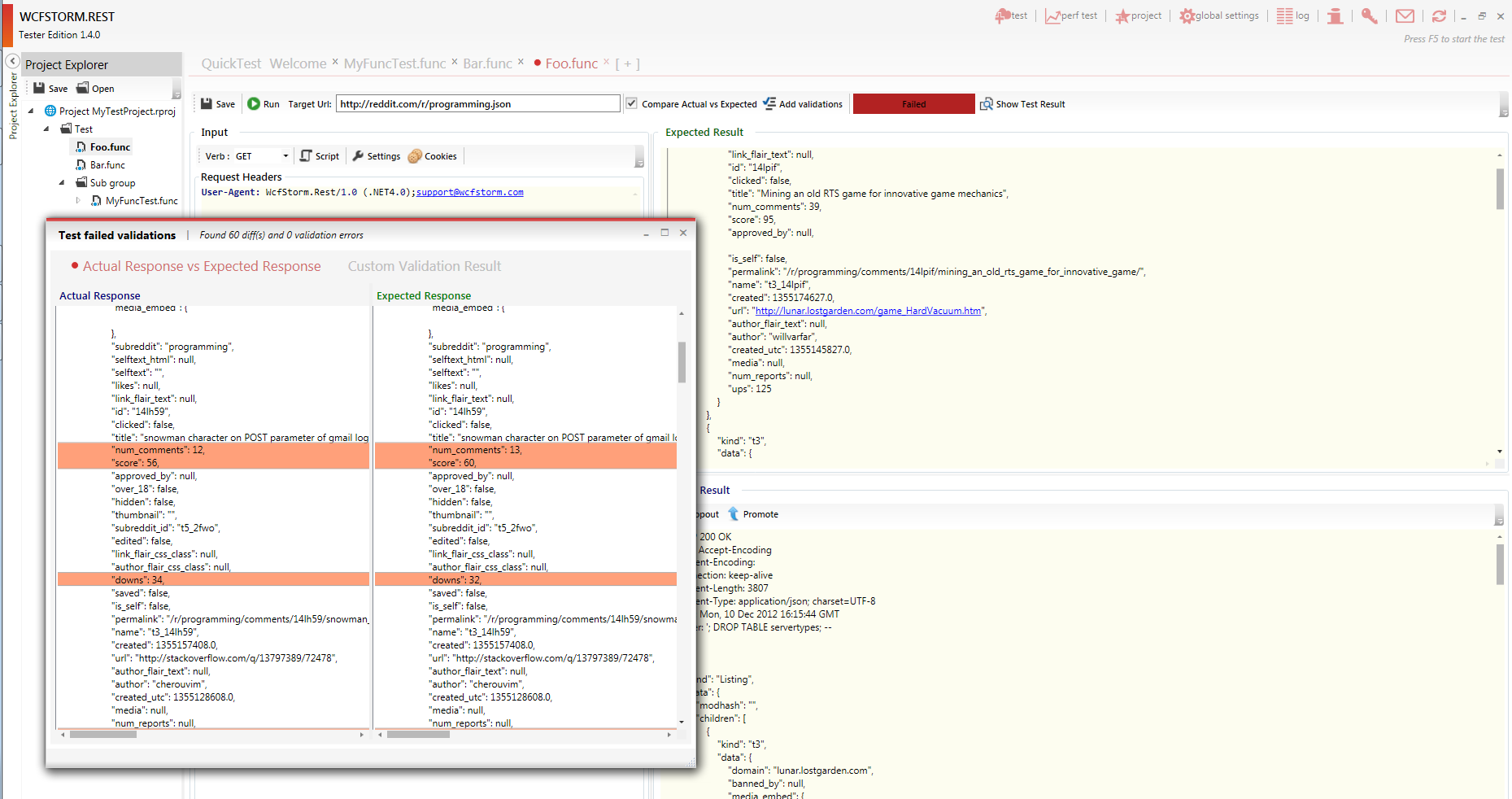
Shameless plug, I wrote a commercial desktop app (with a free version of course) for REST Testing, called WcfStorm.Rest. If anyone needs to manage test cases, perf test and generate test reports, please have a look at my software. http://www.wcfstorm.com/wcf/Data/Sites/1/WcfStormImages/REST...
Like the others have mentioned here, there are a couple of tools in chrome that try to solve the same problem. Not that it is a bad thing. Has anyone used them all to summarize pros / cons ?
I've been using Advanced REST Client [1] for quite a while now. Have not yet encountered anything about it that I don't like. That's usually a good sign of quality software -- to me at least.
A web browser is literally a "dedicated REST client". REST is just HTTP. It's the pattern HTTP to exchange messages. Representations and methods. Sure, HTML forms never implemented the full range of methods [facepalm], but most engines allow method parameter overrides (_method=PUT|DELETE). And it does get harder when doing these live via JavaScript, and exchanging data other than HTML like JSON.
Of course I use HTTP tools other than the generic web browser UI. Firefox extensions get you pretty far with HTTP logging/modification like Firebug, Poster, TamperData. There's also some standalone apps like Fiddler and friends. But meh.


You can also export these collections and share them with other team members.
This is particularly useful for sanity checking before deploys e.g. just running through each API call to make sure users can login and perform primary actions.