Hacker Newsnew | past | comments | ask | show | jobs | submitlogin
h5ai – modern HTTP web server index (larsjung.de)
74 points by gjvc on April 21, 2024 | hide | past | favorite | 27 comments


Sounds helpful if you're using an existing server that can run PHP. I use dufs (https://github.com/sigoden/dufs) as a standalone lightweight file server, sometimes reverse-proxied into an existing site.


Dufs also does webdav very well.

It also has ACL and can be used either as a listing directory or serving html files.

I love it :).

Only caveat so far: it doesn't like being proxied under a sub folder (https://example.com/dufs/).

I was fed up with nextcloud and replaced it with syncthing (for laptop/desktop) + dufs + wedav for mobile access, all hosted on a pi@home, accessed through a wg VPN.


> proxied under a sub folder

"Works for me!" without any /'s, eg.

  --path-prefix dufs


Ooh nice, I must have missed the release where it was implemented (or maybe I just never noticed it).


Thanks for sharing. I wasn't aware of dufs and it looks very solid. Fileserver[0] is another popular choice, though it's more GUI-oriented for file operations.

[0]: https://filebrowser.org/


The demo is kinda neat. I like the multi-select to download as a tarball and how you can add HTML headers and footers to folders. But it doesn't seem like it's designed for mobile and takes a moment to load. Something similar with server side rendering seems better.


Or just least features with plain vanilla CSS and HTML.


I've seen this used a lot in projects hosting custom roms and kernels for android phones. It's neat.


I made a similar one 20 years ago or something.

The idea was that you slap the index.php in a single location and then symlink it to folders.

All icons were included in the source so it was just one file. I think it's still working on an abandoned shell of mine somewhere =)


I'm curious how the /_h5ai/ directory is hidden. I can see that I get a 403 at https://release.larsjung.de/_h5ai/private/conf/options.json but don't see any mention of adding this rule in the setup instructions.

PHP just slapping the code into the public directory always makes me nervous, especially when this has an upload feature.


I think it's hardcoded into h5ai. I am not logged into github, so I can't use regular code search, but it seems to refuse to serve anything under $APP_PATH.


I might be misunderstanding. But the instructions just say to set it as a fallback index. So I don't think its own code would run if you requested these files directly because they exist.

> Add /_h5ai/public/index.php (note the leading slash!) to the end of the default index-file list. In this way h5ai will manage all directories in and below DOC_ROOT that don't have a index file.


Nice. Really nice.

I think I found a bug though, and made a video of the screencast and out it at here: https://photos.app.goo.gl/UxoRyVgcAX497dii9

I click on “search and filter”, it get selected, another click, it navigates to it. And on the new page, “archive.zip” is selected, simply because it is on the same position where “search and filter” was.

Thanks.


i'm not the author, just thought it was worth sharing, so do please report it to them :-)


Suggestion: if I'm on https://larsjung.de/h5ai/demo/special%20chars/ and I click on the "screenshot.jpg" link it shows me a preview of the screenshot, but it doesn't update the URL.

I understand that https://larsjung.de/h5ai/demo/special%20chars/screenshot.jpg is a link to the actual file itself, but it would still be nice to have the preview itself be linkable - and be navigable via the back/forward buttons, browser history etc.

So how about using a fragment hash here? https://larsjung.de/h5ai/demo/special%20chars/#file:screensh... (that's the directry URL with #file:screenshot.jpg at the end of it) - that way the back/forward buttons could work, the preview would be linkable and there wouldn't be confusion with the actual URL to the file.


Seems to be not maintained since 3 years

https://github.com/lrsjng/h5ai


I prefer ye olde HTML 3.2 Apache index, thanks.


this is really buggy and feels oldweb in a unpleasant way. like newer than visiting a site with no index page and seeing the vanilla apache file directory, but only enough to use old jquery-ish 2003 era web ui/patterns/components.

clicking a file and a big spinner appearing. hitting back button to go back up a few folders, spinner never goes away, etc.


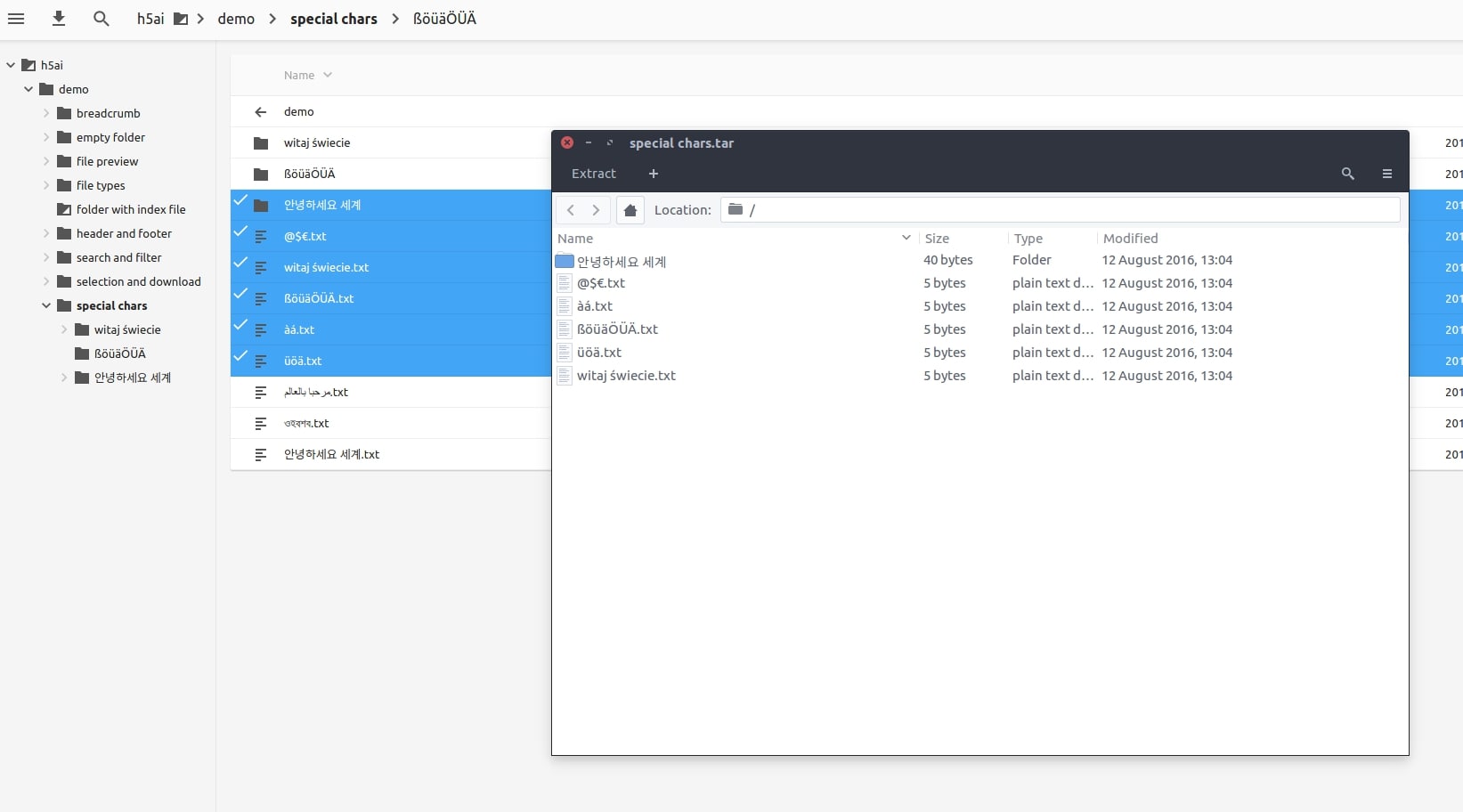
Still better than the native artifactory UI, which looks just like an httpd index page, except it's actually a view in their 20 MB SPA.


the name and title here do really not make it wasy to find when looking for something that displays files and directories


The AI hype is so bad that even Apache directory indexes are now being named with "AI" despite having nothing to do with LLMs.


> Initially h5ai was an acronym for HTML5 Apache Index but now it supports other web servers too.

The project was last updated 3 years ago. Seems like an unintentional naming collision.


Not sure if this is a joke, but h5ai predates the current AI hype by over a decade.


Its worse than that. I've seen some people conflating the term "AI" with "LLM".


And before that, it was conflated with some of the more recent ML techniques.

And before that, it felt to me it had gotten mostly pigeonholed for a while as a marketing term to refer computer opponents in games.

Before that, we are finally at its original broader, expansive meaning (the same meaning it's always had in research).

But maybe I've missed a few steps.


Don’t forget expert systems from some decades ago.


Yes, I did forgot that!


Consider applying for YC's Fall 2026 batch! Applications are open till July 27.

Guidelines | FAQ | Lists | API | Security | Legal | Apply to YC | Contact

Search: