One tip I like is to set your navigation app to "north up". This way you're aware which direction (in general) you're heading towards. If you know you're going south east and there's a detour, you know you need to find a parallel street heading south-east-ish.
If translating the arrow pointing left and the next turn is down to "turn right ahead" is confusing, on Google Maps at least the top of the screen still has arrows pointing left or right how far away you are from the turn, so this info is still there.
The tip is from Jeremy Clarkson of Top Gear, who does a lot of driving.
Strong agree; came here to recommend this — this is something I came up with by myself and thought I was the only one who did this; glad to find others think the same. Doing this has greatly improved my sense of direction (to much better than it was before I started using GPS/navigation). It's like getting instant feedback for your direction sense (e.g. I was driving west and just now I turned left, so I'm now driving south), and remaining oriented about where different places are wrt each other.
This is probably only good for people who already have good spatial reasoning and can make the transformation on the fly from screen orientation to what you're seeing ahead of you. Many people have poor spatial reasoning skills though, and probably find the direct view more useful.
I don't think of myself as having good spatial reasoning, but it still works for me — note that if you look at the top part of the UI (in the grey box covering the map), the arrows are still relative to "you". So at least in the first few days of trying out this orientation, one could just rely on the arrows for turns, and use the rest of the map only to reinforce/build their spatial transformation (rotation) skills.
Stan Honey, who invented car navigation systems (Etak, pre-GPS), once told me that they started out with always displaying maps with north at the top. He's a sailor, and sailors have used maps with north at the top for centuries. So the car nav system just followed marine navigation.
They discovered in user testing that about 20% of the population cannot rotate a map in their head. So they rotated the map in software. Keeping the labels in normal orientation was tough. Now everybody does that.
I've never done marine navigation so how I expect it to work just comes from movies and the occasional reality TV show so how I'm imagining it works may be way off, but the impression I've gotten is that the navigator (by which I mean the person planning the route) and the driver (the person or people who execute the navigator's plan) are logically separate. They might be the same person on a smaller boat, but the processes is still separate.
The navigator uses the maps to produce instructions for the driver which will be things like sail in this particular direction until we pass that specific island then turn some specific amount and so on.
The navigator doesn't even have to look outside while doing this, and all the directions are specified by compass points, so of course a north on top map makes sense.
For a car nav system the nav system is both doing that high level planning that a ship navigator does and is doing very low level navigation for the driver, and the driver is executing the plan by looking out the window and matching what they see to what the plan calls for. Also events are happening much faster in a car, because (a) cars are typical traveling faster than boats, and (b) cars are typically in environments with a lot more obstacles, and (c) those obstacles are more closely spaced than typical ocean obstacles. For telling someone how to turn right now most people will do better with "turn 90 degrees right" or "turn left at the upcoming intersection" than instructions to change their heading to a specific compass direction.
So far a car nav system it does make more sense to make the nav device's view match more closely what the driver sees.
Ideally I'd like something that switches views depending on the situation. Say I'm driving from the Seattle to Los Angeles. When I'm cruising down I-5 a north up map view zoomed out so I can see the big picture would be great. If I decide to stop in Sacramento for gas and a snack, then switching to a smaller, current direction up, view just big enough to show my current position and the gas station when I exit I-5 would be more useful.
Yea, getting off some of the interstates in Texas has situations like this.
You are traveling 60-75 MPH then you exit interstate right, then you quickly split on an capillary highway that splits to the left, then moments later split to the right again then have to get in the right or left lane for a turn depending on which direction you're heading. All while having local traffic that knows the traffic pattern fly past you where it's more than one lane. I swear it feels like one of those space fighter games where you're attempting to avoid asteroids and other ships at a fast pace.
This is a good example of accessibility tradeoff - it obviously was needed to make the solution accessible and usable for that 20%, but in the process it made it worse for at least some of the 80%..
A compass rose is pretty much the same concept as the XYZ widget in any 3D app, a reference frame. I’m wondering. Since cartography was pretty well established by the 20th century, was this really much of a debate for nav systems?
If I asked you to draw a map of the room you’re in, I highly doubt you’d orient the straight angles of the walls with respect to the angle of your body. You’d draw them along a compass rose relative to the structure. Rotating a map to your gaze is actually not very intuitive when your goal is to usually to transform the world to be outside of your reference frame.
The transformation of the map into your perspective is a last-mile problem: it’s important when you reduce your decisions to “what landmark is in front of me, and what is to my left and right?”
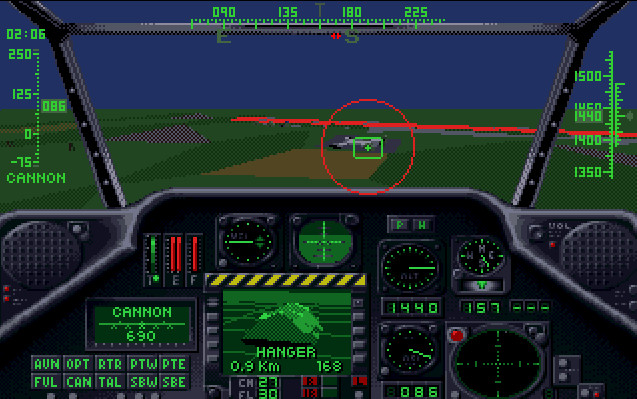
I think a "my direction up" would work better if the compass direction is displayed on top of the screen, like on video game/military aircraft HUDs https://eu2.contabostorage.com/2baf1d556e44458999c03b1595ea0... , or since the directions are around the "you are here" marker, the N/E/S/W markers (and its subdivisions) could be placed on the 4 edges the screen, and would move around as the phone changes its heading.
Someone else said elsewhere on this comment section, if only a navigation app would also show the position of the sun at that moment. If we already have the compass directions, the direction of the sun can be an extra UI element.
I want to say I'm astonished by this comment thread, but hey. It's to be expected these days.
I would have theoretically said the same thing that the sibling comments are about getting north to be "up". But, that is already the default (at least on my phone), but who knows for how much longer. The app quite aggressively tries to keep you from getting comfortable with this mode but instead wants to derail your sense of direction in general.
First, it was a minor inconvenience to lock your orientation, then they hid it deep inside a settings menu, before eventually removing entirely the ability to lock the map to the cardinal directions, and everyone I complain about this to acts like I'm crazy.
While we're fixing this, I'd also like a "South-up" option. Maybe even "West-up" or "East-up" one.
I'm not joking. Beyond training one to think about their location in multiple orientations, it also opens your eyes to assumptions one makes about places based on their location. West Wing famously flipped the script (literally), but there's also the lateral bias to think about. Go into Google Maps and flip it 90 degrees; does your understanding of distance, shapes, and spatial relationships of "familiar" geography change?
It's not doable because your current location needs to be in the center of the screen in north up mode but can be placed lower in regular mode. Also the non square aspect ratio of the phone screen means that you don't get the same field of view in all four directions.
Yes, this is why I usually set mine to look-forward. A 360 degree north-up view is nice, but seeing more streets ahead of me shows me more possible routes if mine becomes blocked unexpectedly.
To anyone who has done some actual navigation setting a map to "north-up" seems terrible. I'm pretty sure my GPS tells me what my general heading is, not that I've ever had to use it.
If it works, it works. But I would strongly recommend that people try orienteering to learn about land nav.
because in orienteering you use compass that points into the direction you are moving while the compass needle points north. then you align the map with the needle, so your map points north too, and you end up looking at the map in the direction you are moving.
My wife likes to orient her GPS map according to the direction she is heading.
I orefer North. I am the better navigator.
Related: I have spent a lot more time in youth and adulthood wandering places on my own. She of course was discouraged from doing so for the reasons the article cites.
I have the opposite preference (car direction up) despite being better at navigation than my partner who is bad and prefers north up. I also spent a lot of time wandering in woods and town on my own as a kid, and playing video games including RPGs and first person shooters that required navigation.
I have to have my map on "north up" or I get lost. I'm 60. I also grew up in the US Midwest, where there's a NSEW square grid of roads over a large portion of the region.
Anecdotally, I find that my friends that just willy-nilly rotate around their Google Maps are the ones that have the worst sense of direction. Of course you are going to get lost after one wrong turn if you throw out your frame of reference that would help to reorient yourself!
This is the absolute opposite. You orient your map to north (generally magnetic north when using magnetic compasses). If you have your map oriented for "north up" your headings will be all wrong.


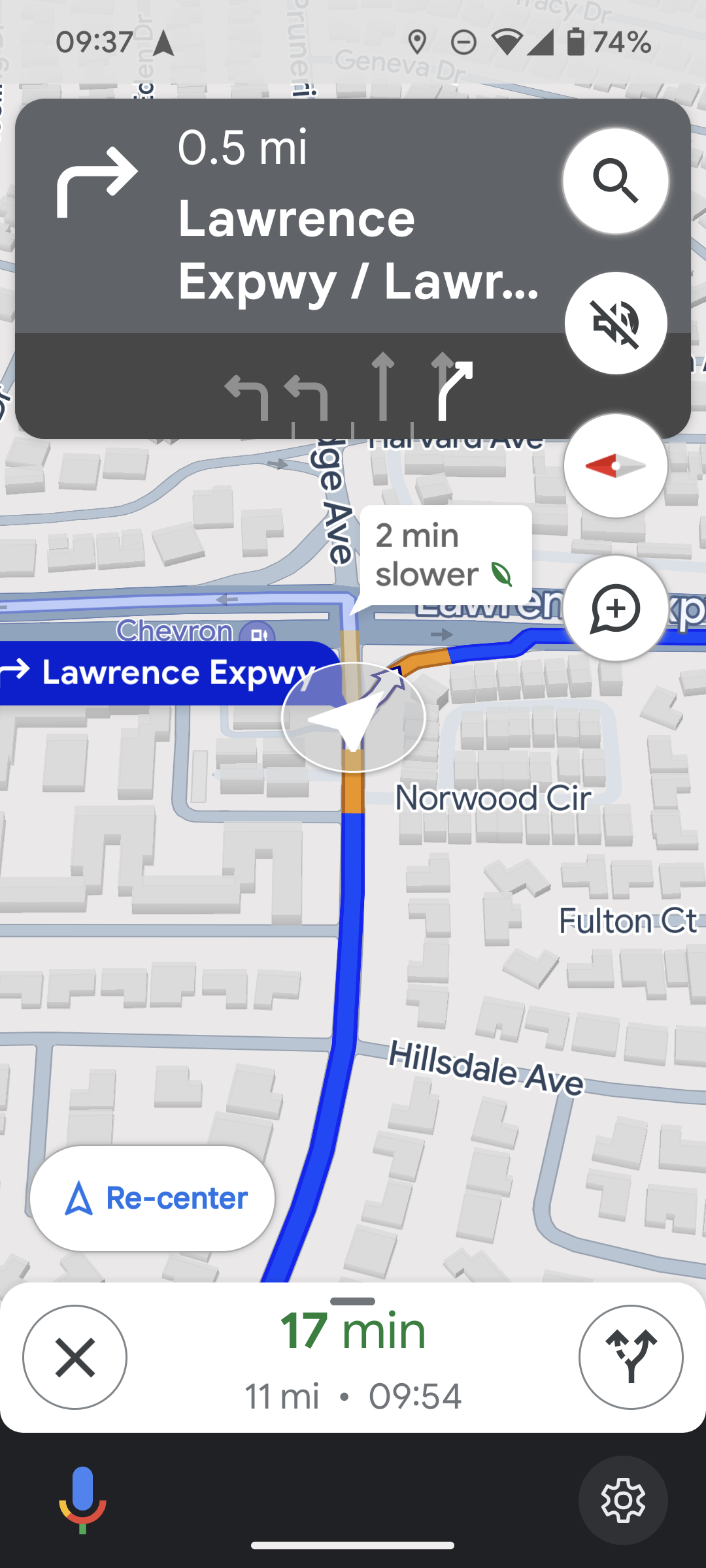
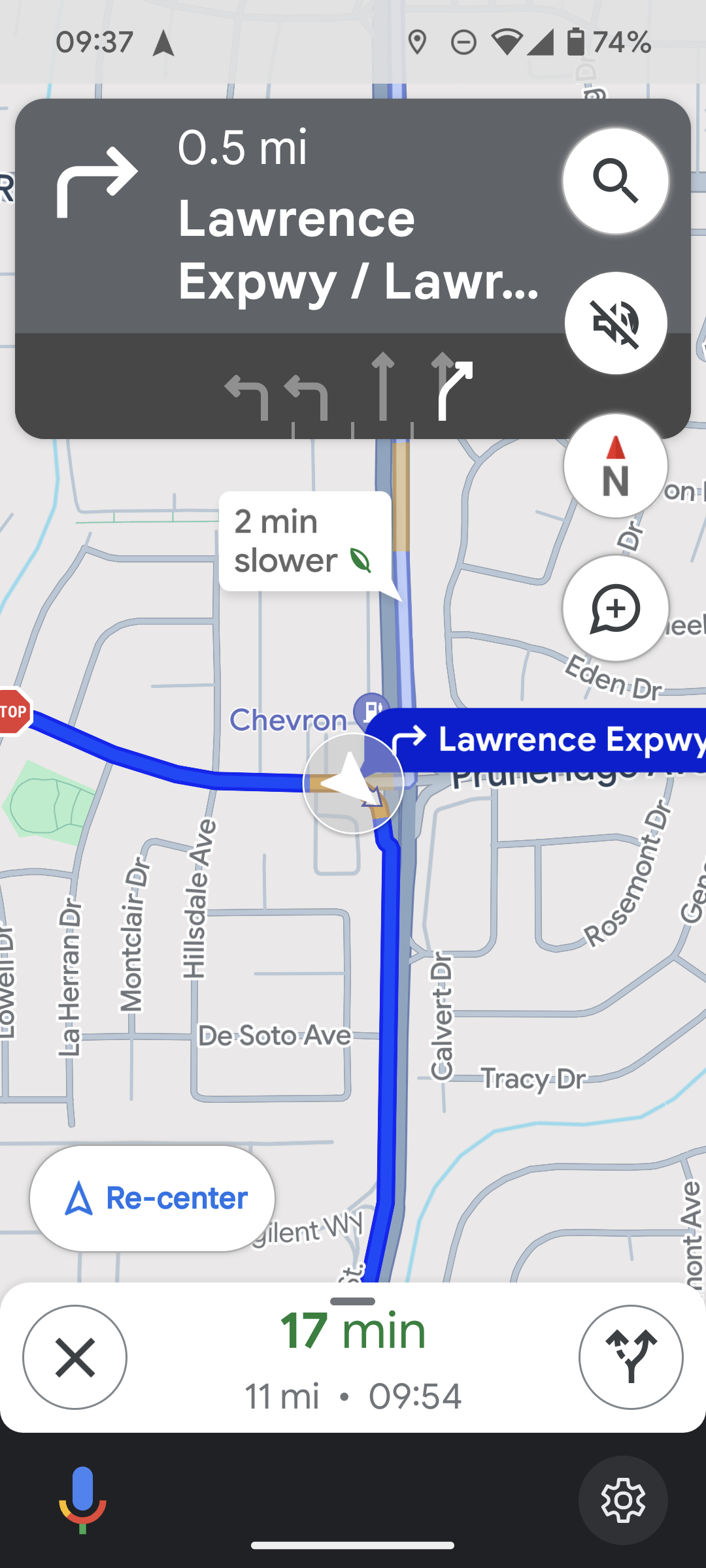
If translating the arrow pointing left and the next turn is down to "turn right ahead" is confusing, on Google Maps at least the top of the screen still has arrows pointing left or right how far away you are from the turn, so this info is still there.
The tip is from Jeremy Clarkson of Top Gear, who does a lot of driving.